What you'll learn
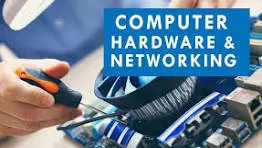
The Advanced Diploma in Computer Hardware & Networking (ADCHN) is a comprehensive IT program. It equips students with hands-on skills in PC assembly, operating system installation, network infrastructure, and system troubleshooting. Graduates are prepared for careers as hardware technicians, network engineers, and IT support specialists.
Key Features
- Duration: Typically 6 to 12 months, depending on the institute.
- Eligibility: Usually 10th or 12th pass (depending on the institution).
- Certification: Awarded as an Advanced Diploma, boosting employability in the IT sector. [1, 2, 3, 4, 5]
Core Curriculum
The course syllabus bridges theoretical knowledge with practical lab sessions:
- Computer Hardware: Understanding computer architecture, motherboards, processors (Intel/AMD), memory (RAM/ROM), and storage devices (HDD/SSD).
- PC Assembly & Maintenance: Learning to assemble/disassemble PCs, configure BIOS/CMOS, and troubleshoot power supplies (SMPS/UPS).
- Operating Systems: Installing, configuring, and managing Windows and Linux operating systems.
- Networking Fundamentals: Studying the OSI model, TCP/IP, network cables, routers, switches, and firewalls.
- Network Administration: Configuring LAN/WAN, IP addressing, subnetting, and basic server management.
- Security & Troubleshooting: Identifying malware, utilizing antivirus tools, and applying basic cybersecurity principles.
Career Opportunities
By completing this diploma, candidates become job-ready for various roles in IT companies, data centers, BPOs, and government sectors. Common job titles include:
- IT Support Specialist
- Hardware & Network Engineer
- System Administrator
- Network Administrator
- IT Helpdesk Technician
Show More
Course Syllabus
1. Computer Fundamentals & PC Architecture-
- Hardware Components: Motherboards, processors (CPU), RAM, hard drives (HDD/SSD), SMPS, and graphic cards.
- Assembly & Disassembly: Step-by-step setup of a computer, BIOS/CMOS settings, and configuring hardware.
Preventive Maintenance: Cleaning internal components, managing airflow, and troubleshooting hardware failures.
2. Operating Systems & Software Diagnostics
- Installation: Bootable USB creation, installing Windows and Linux distributions.
- Driver Configuration: Setting up LAN, audio, and display drivers.
- Utilities: System backups, disk partitioning, file recovery, and basic malware/antivirus troubleshooting.
3. Networking Fundamentals
- Network Topologies & Cables: Star, ring, mesh topologies, and understanding CAT5/CAT6, fiber optic cabling.
- Networking Devices: Switches, hubs, routers, repeaters, and modems.
Protocols & Models: Deep dive into the OSI model, TCP/IP suite, IP addressing (IPv4/IPv6), and Subnetting.
4. Advanced Networking & Server Administration
- Network Setup & Sharing: File and printer sharing, workgroup and domain setups.
- Routing Configuration: Setting up and managing Cisco routers, switch operations, and basic access lists.
- Server Management: Basics of Windows Server and Linux (Red Hat) configuration, DHCP, and NAT.
- Security & Troubleshooting: Remote desktop connections, firewalls, Wi-Fi configuration, and network diagnostics
 Bestseller